How to Delete Your Account
Follow the steps below to permanently delete your account from the game.
Open the Home Screen
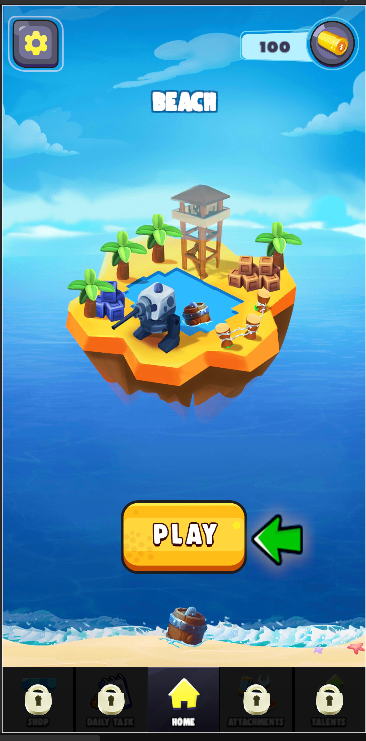
When you launch the game, you will arrive at the Home screen.
Action: Tap the Settings (⚙️) button located in the top-left corner of the screen.
Highlighted Location: The gear icon shown in the upper-left corner.
Open the Settings Menu
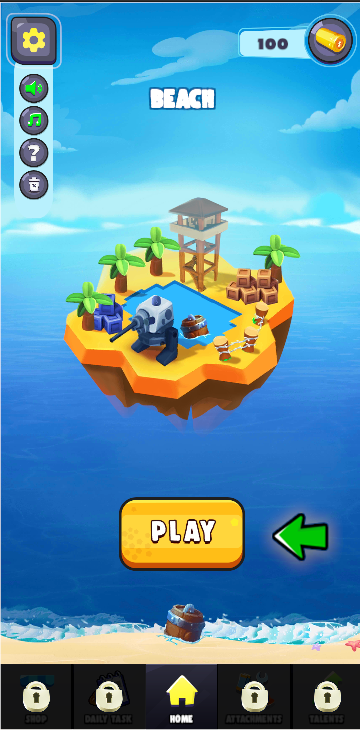
After tapping the Settings button, the settings options will appear on the left side of the screen.
The Delete Account option is represented by a trash/bin icon at the bottom of the settings menu.
Action: Tap the Delete Account (🗑️) button.
Confirm Account Deletion
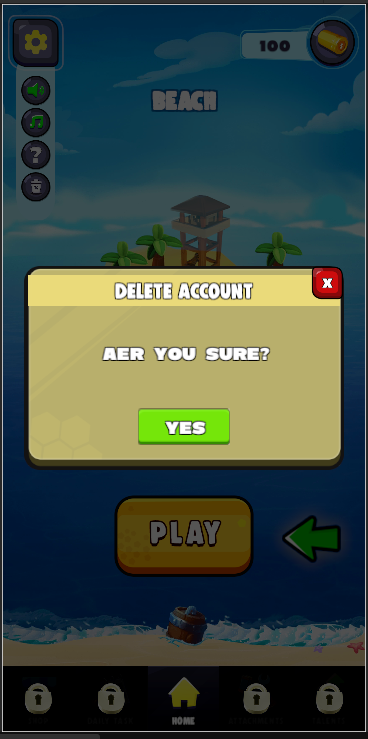
A confirmation popup will appear asking whether you want to delete your account.
Action: Tap YES to permanently delete your account. Tap the X button if you do not wish to proceed.
Important Information
When you confirm account deletion:
- Your game account will be permanently removed.
- Associated player data will be deleted according to the game's data retention policy.
- This action cannot be undone.
- Access to game progress, rewards, and account-related data may be lost permanently.
Need help? Contact Fight Hero support for assistance with your account.